

OrCAD X — Schematic Entry & Component Management
OrCAD X Capture, CIS & CIP
Industry-leading schematic capture environment for first-pass success — paired with the Component Information System (CIS) and Component Information Portal (CIP) for centralized library and supply-chain-aware part management.
At a Glance
Comprehensive Schematic Design at Your Fingertips
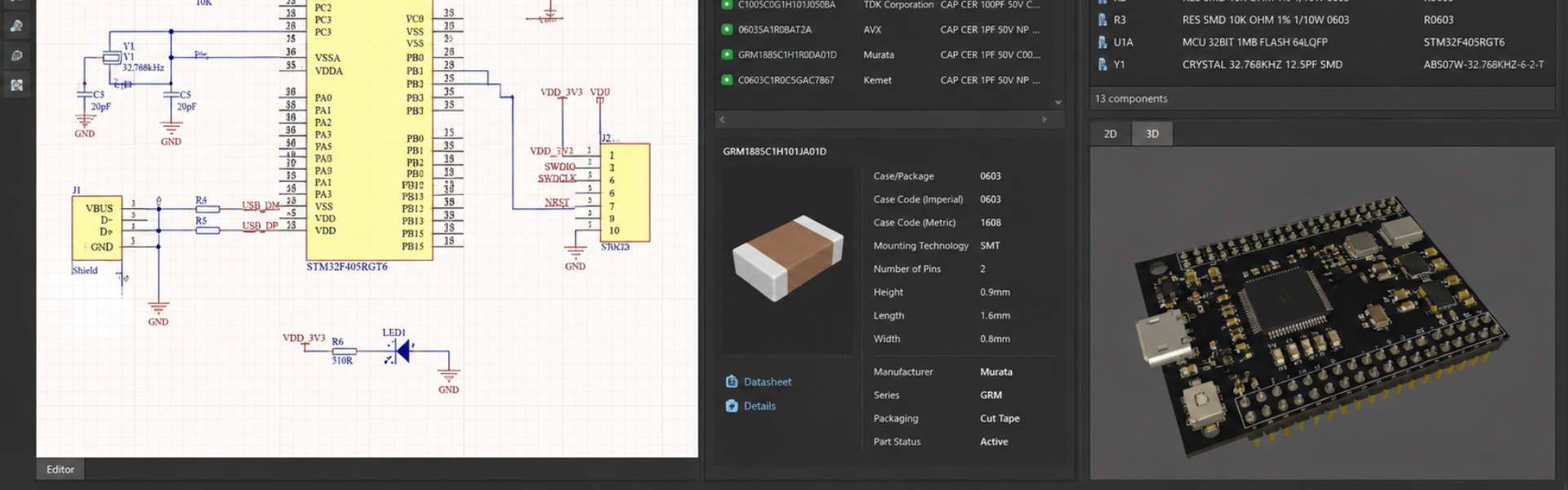
Shorten your product design cycle with embedded rules, seamless PCB and simulation integration, automated design rule checks, and an integrated component library — directly within your schematic canvas.
Limitless Schematic Design
Hierarchical Design Support
Large Pre-Built Library
Component Management
Complex Rule Support
Integrated Simulation
Design Variants
Intelligent PDF Output
Capture Capabilities
Everything You Need in Schematic Entry
Electronic Rules Check & Embedded Rules
Define and embed design rules in the schematic to drive PCB layout. Customizable ERC matrix for errors and warnings on pins, hierarchical blocks, and ports. Real-time DRC for electrical, physical, and simulation errors.
Productivity-Focused Environment
Create everything from simple block diagrams to complex hierarchical, multi-sheet schematics. Automated design cache, reference designator assignment, annotation, back-annotation. Customizable workspace, TCL scripting, and app support.
Expansive Component Library
Standard library of common symbols and components — discretes, FPGAs, opamps, microcontrollers, and more. Integration to Samacsys and Ultra Librarian for live parametric data on millions of parts plus verified models.
Clear & Accurate Reporting
Streamline reviews with intelligent PDF output — interactive component, net, and connectivity navigation. Customizable BOM with templates, predefined properties, and automatic population for zero-touch BOMs.
Seamless PCB & Simulation Integration
One-click netlisting and PCB creation. Bi-directional publishing with automatic change identification. Built-in signal integrity analysis on high-speed nets, and integrated access to PSpice — no translations needed.
Variant Support
Manage component variations for multiple manufacturing and design requirements. Differing values, do-not-stuff components, color-coded schematic information, variant BOMs, and variant reports.
Two Variants
OrCAD X Capture vs OrCAD X Capture CIS
Items marked "With CIP" are available with the Component Information Portal add-on.
Streamlined Schematic Entry
- Hierarchical & multi-sheet schematics
- Block diagram support
- Snap functions and grids
- Efficient connectivity & automatic wiring
- Automated alignment and distribution
- Differential pair definition & management
- Graphical design compare
- Customizable workspace + open design framework
- Automatic title blocks & design cache
- Built-in translators (Altium, Mentor, Eagle & more)
- Integrated access to component database
- Design variant support with color-coded display
Libraries, Symbols & Models
- Schematic symbol editor
- Library of common schematic symbols
- Millions of symbols, footprints, and 3D models
- Customizable component properties
- Easy association of supporting models
- Centralized component data
- Parametric part search
- Symbol & footprint preview
- Temporary part management
- Streamlined temporary part creation (With CIP)
- Automatic population of parametric data (With CIP)
- Automatic part numbers & part history (With CIP)
- 5,000-part starter database (With CIP)
- Web-browser access to component DB (With CIP)
Supply Chain Insights
- Real-time pricing & availability (With CIP)
- Real-time compliance-based search (With CIP)
- Multi-sourcing support (With CIP)
- Integrated distributor information — Digi-Key, Mouser, Arrow & more (With CIP)
- Where-used identification (With CIP)
Cloud-Enabled Services
- Cloud-based workspaces
- Managed user roles & customizable permissions
- File management and version control
- Integrated part authoring & management
- Promoted library of symbols and footprints
- Automatic population of parametric information
- Association of simulation models, symbols, footprints & datasheets
Comprehensive Rules & Checks
- Electrical, physical, simulation & custom design checks
- Customizable ERC matrix
- Design check exemptions
- Real-time design rule checking
- Embedded rules
- Net, electrical, physical, spacing rule definition
Streamlined Integration
- PCB layout creation & netlist generation from schematic
- Real-time design synchronization
- ECO support
- Cross probing & cross placement between schematic and PCB
- Integrated SPICE simulation
- Signal integrity simulation
Accurate Reporting
- Standard & intelligent PDF output of schematic
- Automatic netlist generation
- Customizable Bill of Material (BOM)
- Automated zero-touch BOM creation
- BOM templates, relational BOM & variant support
- Variant reports
- Easy BOM import / export & revisioning (With CIP)
Component Information Portal
CIP — Centralized Library for Part Selection & Management
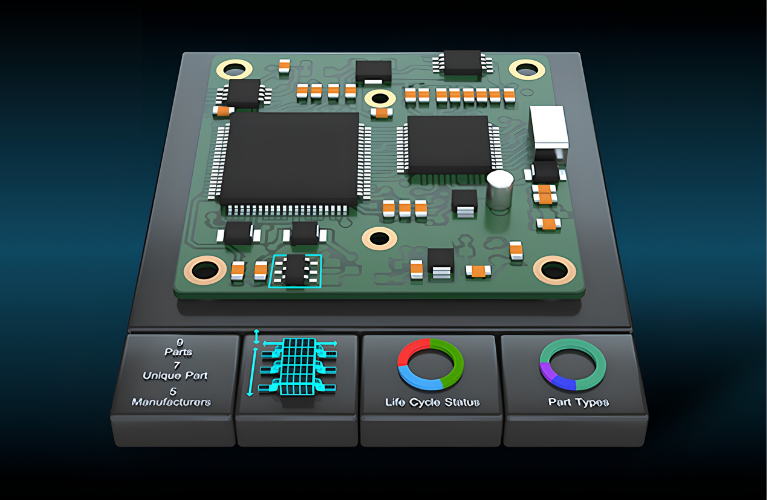
Accelerate your design process with centralized, shared access to your component library across the organization. Streamline component research, introduce new parts, and maintain data integrity — with real-time lead time, obsolescence, supply chain, and distributor information directly in OrCAD X Capture.
Centralized component data management
Accurate, up-to-date parametric data
Streamlined part management
Integrated, verified component models
Starter Library & Schema
A pre-configured database schema and an expansive starter library of over 5,000 parts to get you running immediately.
Customizable User Permissions
Fully-customizable permissions for managers, librarians, and designers. Collaborate via web browser without exposing sensitive IP.
Error-Free, Sourceable BOMs
Critical data — part number, value, price, qty on hand, RoHS — included in every BOM. Add secondary sources for purchasability.
Dynamic Parametric Data
Add, maintain, and search component parametric data on millions of parts from Digikey, Mouser, Future, Newark, and more.
Integrated NPI
Request new parts from existing DB or distributor info. Live parametric data is auto-populated — no manual entry.
Pre-Built, Verified Models
Ultra Librarian integration — 16M+ symbols, footprints, and 3D models — associated directly in CIP during NPI.
Where-Used
Identify designs that need review and update when parts change — see which BOMs each part is used in.
Web Client
Easy access for stakeholders and partners via a web browser — no full CAD license required.
Get the Most Out of Capture
Related Products & Integrations
OrCAD EDM
Streamlined, collaborative PCB design data management — revision control, library promotion.
Learn More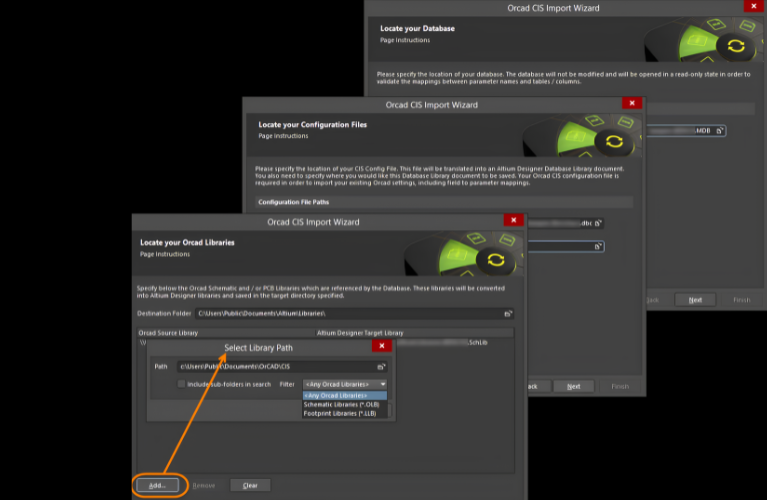
OrCAD CIP
Supply-chain-aware part database integrated directly into OrCAD Capture.
Learn More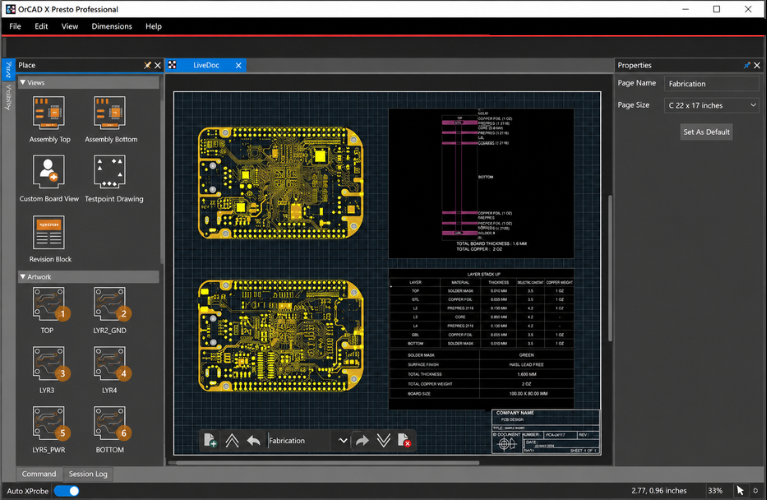
Constraint Designer EE
Manage high-speed PCB design rules at the schematic level.
Learn More
SE Connect BOM Risk
Identify unorderable, obsolete, or high-risk parts directly in the schematic.
Learn MoreFAQs
Capture, CIS & CIP — Common Questions
OrCAD X Capture is the core schematic-entry tool. Capture CIS adds Component Information System integration for live part data and database connectivity. CIP (Component Information Portal) is the centralized, supply-chain-aware part database that powers CIS — including starter library, NPI workflow, web-browser access, and where-used analysis.
Capture CIS is the integration layer in OrCAD X. CIP is the database / portal that CIS connects to. For a single user with a simple part list, CIS alone may be enough; for teams managing a curated, supply-chain-aware library, CIP is the recommended add-on.
Yes — CIP can sync with PLM systems and surface corporate-approved part numbers directly inside OrCAD Capture. Contact Craftronics for India-specific integration guidance.
Yes — Capture integrates with PSpice for analog/mixed-signal simulation and includes built-in signal integrity analysis on critical nets — no translations needed.
Yes — Capture includes built-in translators for Altium, Mentor, Eagle, and other popular CAD formats. Migration services are available through Craftronics for larger libraries.
Yes — a 30-day free trial is available. Contact Craftronics to set it up with India-specific licensing options.
Get Started
Take Schematic Entry & Part Management to the Next Level
Talk to Craftronics about OrCAD X Capture, CIS, and CIP for your team — licensing, pricing, and India-specific deployment.